Key Takeaways
- Tag every clip with its equipment and the busy-gym problem disappears.
- Filter to dumbbells, cables, machines, or bands — whatever is free.
- Stack filters: muscle group + equipment + creator at once.
- Equipment tagging is the one feature folders cannot fake.
How do I find workouts by equipment? Tag each saved clip with its equipment, then filter your library to what is in front of you — dumbbells, cables, machines, or bands. Save My Workout tags equipment automatically at save time, so the filter works from your very first clip.
Almost every workout app sorts content by muscle group or by the creator who made it. Useful — but it leaves out the variable that actually decides your session: what equipment can you use right now?
Why equipment-first changes everything
Think about how a real session falls apart. You planned dumbbell incline press, but the only bench is occupied. You wanted cables, but it's peak hour. The plan stalls, momentum drops, and you waste ten minutes wandering.
Filtering your saved workouts by equipment flips that. Instead of "what was I going to do," you ask "what can I do with what's open" — and you keep moving.
Three situations where it wins
The busy commercial gym
At 6pm everything is taken. Filter to "dumbbells" or "bands" and pull every saved exercise you can start immediately.
The home or garage gym
You don't have every machine — and you don't need to scroll past exercises you can't do. Show only what matches your setup.
Travel & hotel gyms
A couple of dumbbells and a bench? Filter to it and get a real session instead of guessing.
How to build an equipment-filterable library
The key is tagging each saved clip by equipment when you save it — doing it later never happens. The simplest approach:
- Save the actual video (so you can check the movement), not just a text note.
- Tag by equipment and muscle group automatically, not by hand.
- Make those tags filterable together — "dumbbells + shoulders," for example.
How Save My Workout does it
This is exactly where Save My Workout is different from the rest. Every clip you save is auto-sorted by muscle group, equipment, and creator — so you can stack filters and answer "what can I do with the dumbbells in front of me right now" in a single tap. You keep the real video, and it's all stored privately on your device.
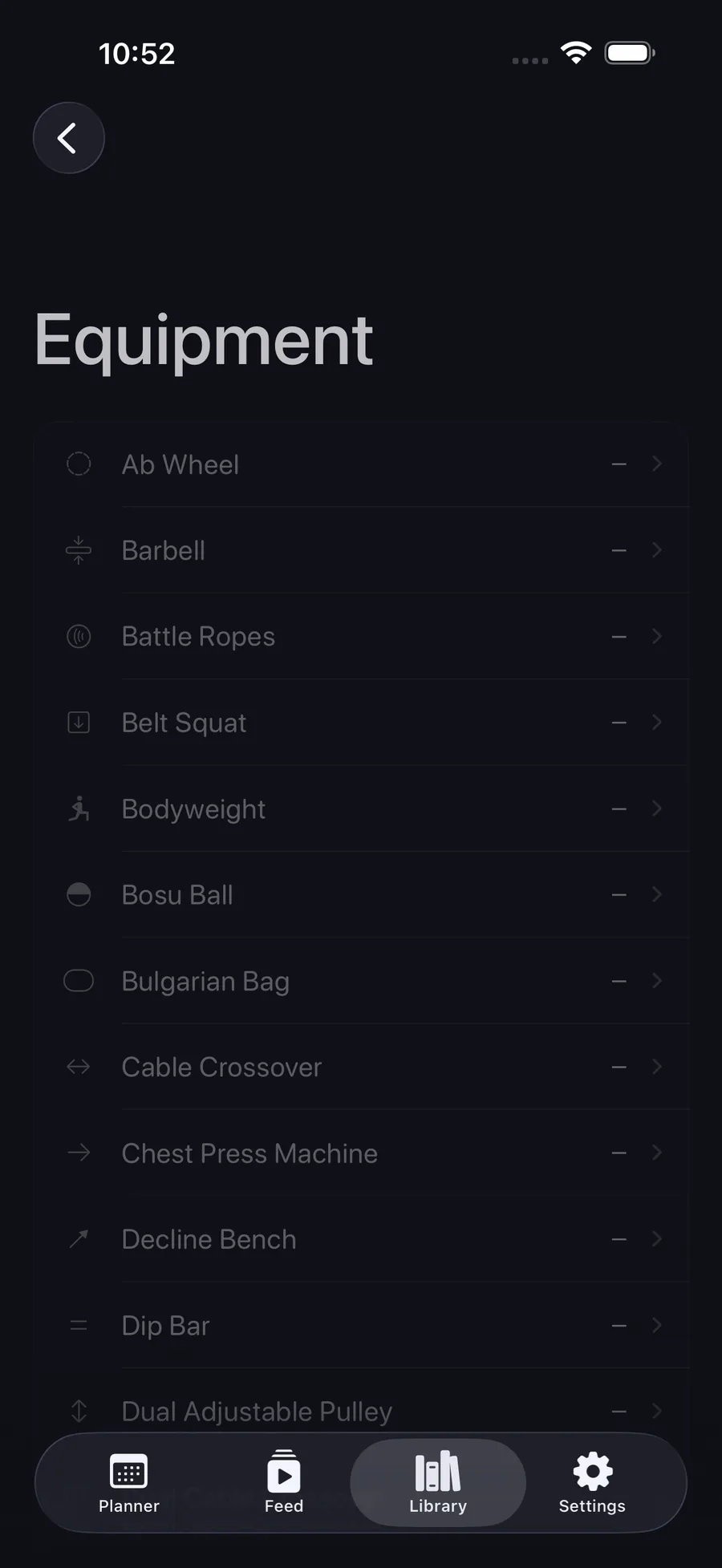
Train with whatever's free.
Filter your saved workouts by equipment, muscle group, and creator — instantly, mid-session.
Get Save My Workout