Key Takeaways
- Favorites are fast but unsearchable — and vanish if the post is deleted.
- Downloading to the camera roll means you own it but cannot find it.
- A workout locker saves and tags in one step: muscle group, equipment, creator.
- Tag at save time — “organize later” never happens.
How do you save workout videos from TikTok? Tap Share on the TikTok and choose a workout locker app like Save My Workout. The clip is trimmed, compressed, and tagged by muscle group, equipment, and creator automatically — so it is findable at the gym, even if the original post disappears.
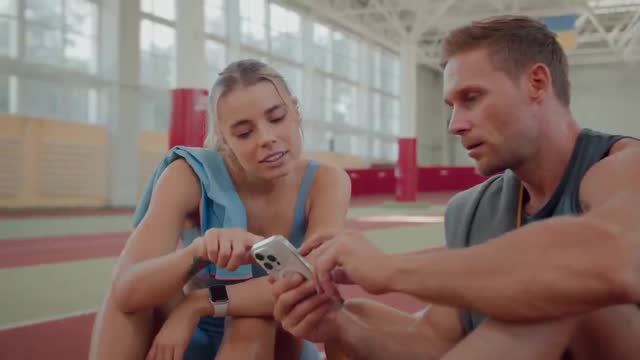
Saving a TikTok takes one tap. Using it later is the hard part. Below are the three ways to save workout exercises from TikTok, from worst to best.
Option 1: TikTok Favorites (fast, but a dead end)
Tap the bookmark and the video lands in your Favorites. You can organize Favorites into Collections by hand, which helps a little — but it's manual, there's no exercise search, and if the creator deletes the post your save is gone. Fine for a few clips; useless at scale.
Option 2: Download to your camera roll (you own it, but you'll lose it)
Use the Save Video option and the clip lives in Photos. Now you own it — but it's mixed in with every other photo, untagged and unsearchable. (More on why that fails: camera roll vs. a workout vault.)
Option 3: Save to a workout vault (recommended)
This is the one that scales. With Save My Workout:
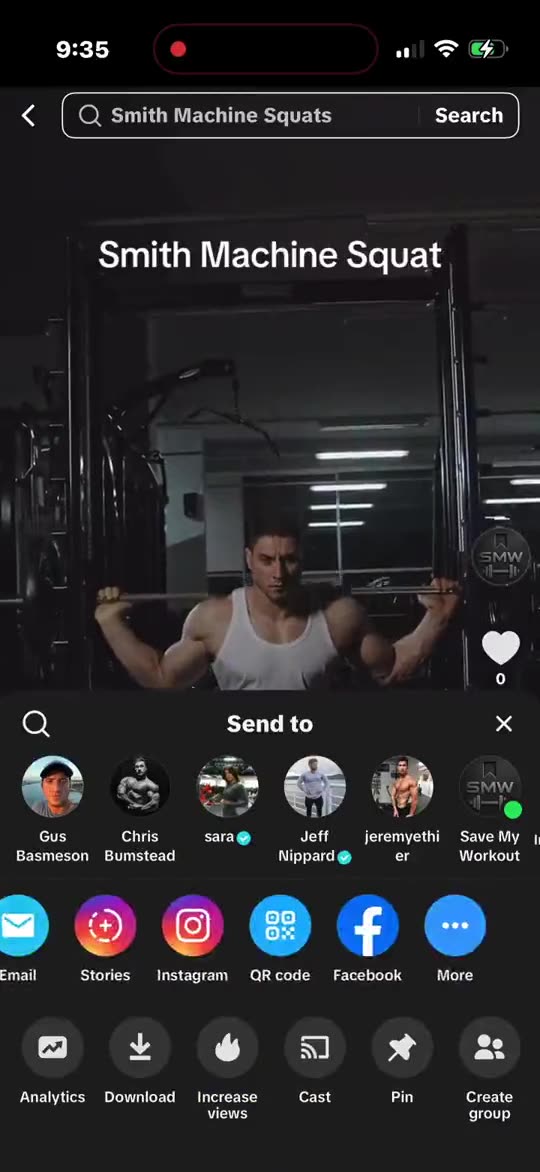
- On the TikTok, tap Share.
- Choose Save My Workout. The clip is trimmed and compressed automatically.
- It's auto-tagged by muscle group, equipment, and creator — no folders, no typing.
You keep the real video (not a text list of sets), and you can pull it up instantly by muscle group or by the equipment that's free.
The golden rule: tag it when you save it
The reason camera rolls and Favorites become graveyards is that organizing "later" never happens. Saving and sorting in one step is the whole game — it's what turns a pile of saves into a library you'll actually train from.
Want the same for other apps? See saving from TikTok, Instagram & YouTube.
Save TikTok workouts you'll actually use.
One tap from TikTok → sorted by muscle group, equipment, and creator. Private and on-device.
Get Save My Workout