Key Takeaways
- Traditional planners fail because manual entry is homework.
- Planning from saved clips removes the friction: drag a video onto a day and you are done.
- Rings and streaks turn the plan into a habit loop you can see.
- Save My Workout builds this in: clips → week → rings → streak.
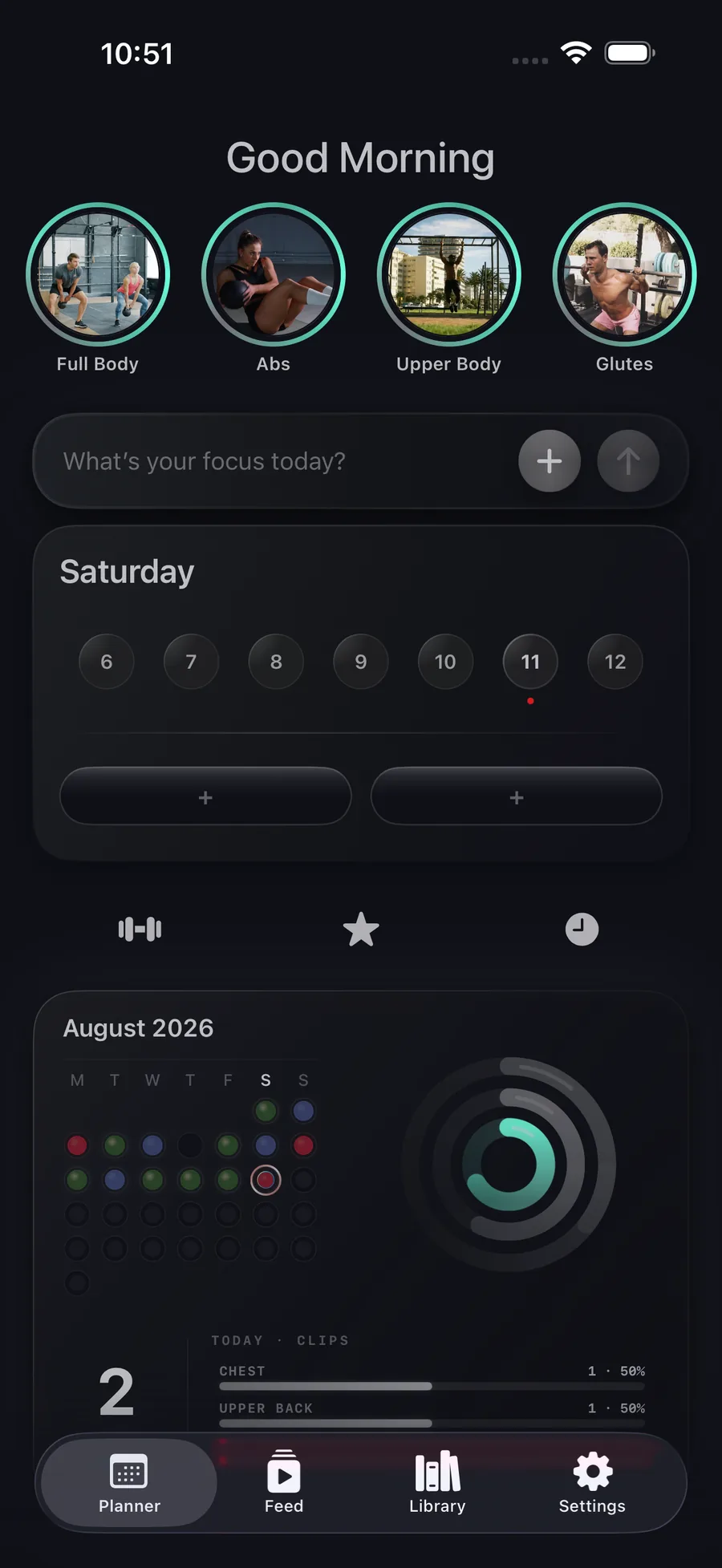
Can I build a workout plan from my saved videos? Yes. In Save My Workout, saved clips are sorted by muscle group and equipment; you drag them onto days of the week to build each session, set a focus per day, and track completion with fitness rings and a streak calendar — no manual exercise entry.

Why planners with empty forms fail
Typing “Incline DB Press 3×12” into a planner is homework, and homework loses to the couch. The exercises you actually want to do are already sitting in your saves — as videos.
Plan from clips instead
The flow that works: your library is sorted by muscle group and equipment → you pick 4–6 clips for a session → drop them onto a day. The plan writes itself, and every entry comes with its own demonstration video. (Building sessions: how to build a workout from saved clips.)
Make the week visible
Plans stick when progress is visible. Day, week, and month rings track real training volume; every logged session lights the calendar. Consistency becomes something you can see — and protect.
Where to get it
Save My Workout ships this whole loop: save clips → auto-sort → plan the week → close your rings → build the streak. Private, on-device, no account needed.
Plan the week from clips you trust.
Drag saved videos onto days. Close your rings. Watch the streak — and the gains — grow.
Get Save My Workout